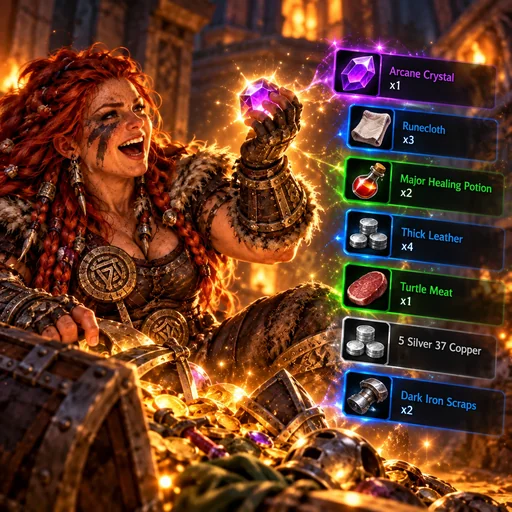
Animated loot and group-roll information display.
A compact, movable loot feed for World of Warcraft 1.12. No dependencies.
- Five animated loot rows with item icons, rarity colors, and stack counts.
- Copper, silver, and gold icons, plus a gold Quest Item label for quest items.
- Hover to pause the feed and see item tooltips.
- Group rolls stay visible with a dice tooltip showing names, Need/Greed/Pass choices, numbers, and the winner.
- Adjustable position, size, duration, and stack direction.
Install
Download the published v0.2.2 LootFeed.zip, extract the LootFeed folder into Interface\AddOns, and restart WoW. Enable Loot Feed at character select.
Upgrade from a previous add-on name
If you used this add-on under a previous folder name, migrate your saved data
before playing with the new installation. A normal file replacement is not
enough when the folder and saved-variable names change.
Fully close the game. Keep the previous add-on installed for this step.
Install the new LootFeed folder beside the previous folder.
Open PowerShell in LootFeed and run the following, replacing both example values:
.\Upgrade-SavedData.ps1 -ClientPath "C:\Games\World of Warcraft" -PreviousAddonName "PreviousAddonFolder"
The helper reads the previous TOC, copies account-wide and per-character saved
data to the new names, and saves backups under AddonUpgradeBackups in the
game folder. It keeps the original files intact and refuses to overwrite
existing saved data for the new add-on. It…
A compact, movable loot feed for World of Warcraft 1.12. No dependencies.
Historical identity: Octo Loot → Loot Feed.
The idea embodied in LootFeed is that picking up an item should be a pleasant, legible moment rather than another easy-to-miss chat message. The game's inventory system already…
Commits 828c6a0, afcc482, 307eeb0 and 7ce832b standardized Babuni.dev authorship and added/linked a brief initial documentation set. The current pass expands it into a…
The TOC actually lists Rolls.lua first, then LootFeed.lua. The game uses the Vanilla-style globals event, arg1 and this; no modern loot-history API, external…
The feed is meant to be noticed briefly, not always visible. Standard entries are dark, compact rows that show a recognisable item icon, rarity-colored title and stack count.…
The code tells us what changed; it cannot prove the full design debate or who typed each implementation line in September.
The initial Octo Loot design and its evolution into LootFeed are part of Babuni.dev's creative portfolio. The project idea—short, interactive loot messages with low UI…
Does hover pausing the entire feed feel right in intense loot moments? Should the addon ask before changing showLootSpam? Should the group roll display offer greater…
The addon references the game client's item/icon textures, not bundled custom artwork. The dice icon is composed in Lua from a square and five little pips, avoiding a…
Read the project repository and its documentation.